Four modules. One platform.
Built for one job, manga localization, not a generic project tool bent to fit or an AI that skips the human pipeline. Planning, asset management, workflow, and reporting: adopt them together or one at a time, with team chat and translation memory built in.
Planning that respects the real pipeline
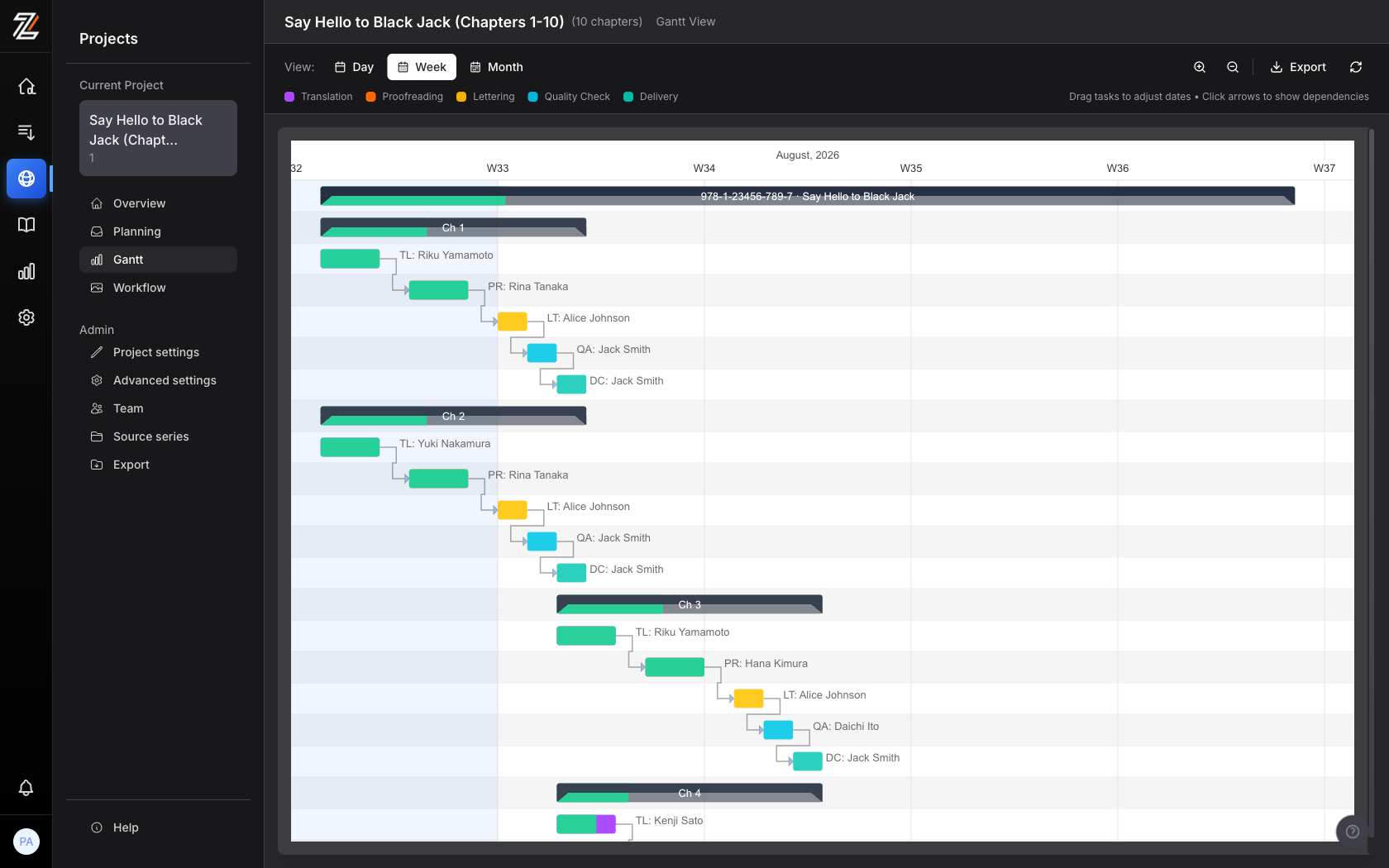
Manga localization breaks generic project tools because work flows page by page through translation, proofreading, cleaning, lettering and QA, and each stage has a different per-worker daily capacity. Zfuro auto-fits pages to each person's real capacity, gates every stage so downstream cannot start early, derives per-stage deadlines and warns when one would miss your delivery date, and flags overallocation across every project at once.
You can plan and schedule an entire production, with realistic dates from each worker's capacity, before uploading a single file.
One-click capacity-aware auto-scheduling
Assign people and dates across every chapter and stage in one pass. Each task is sized by the assigned worker's real pages per day for that language pair, and Zfuro respects their weekends, company holidays and personal leave.
Cross-stage gating
Proofreading cannot start on a page until translation is done, so downstream never begins before upstream finishes and the letterer is not left idle while translation runs late. Hand-tune any date on the grid.
Soft vs hard capacity, overallocation made visible
Tentative planned load is tracked separately from committed work, so overbooking shows up as over 100 percent instead of hiding. See who is available, busy or overloaded across every project, with alerts when a deadline change tips someone over.
Forecast, then commit your freelancers
Load-test the team against planned chapters before files exist, then offer work to freelancers. When they accept, their tentative load becomes committed capacity. Complex chapters are weighted so planning reflects real effort.
Included in Planning
Built-in team chat
Works with planningA room per project keeps the whole team aligned, presence shows who is online right now, and 1:1 messages handle the quick side conversations. People only see conversations for projects they are actively on.
Asset Management
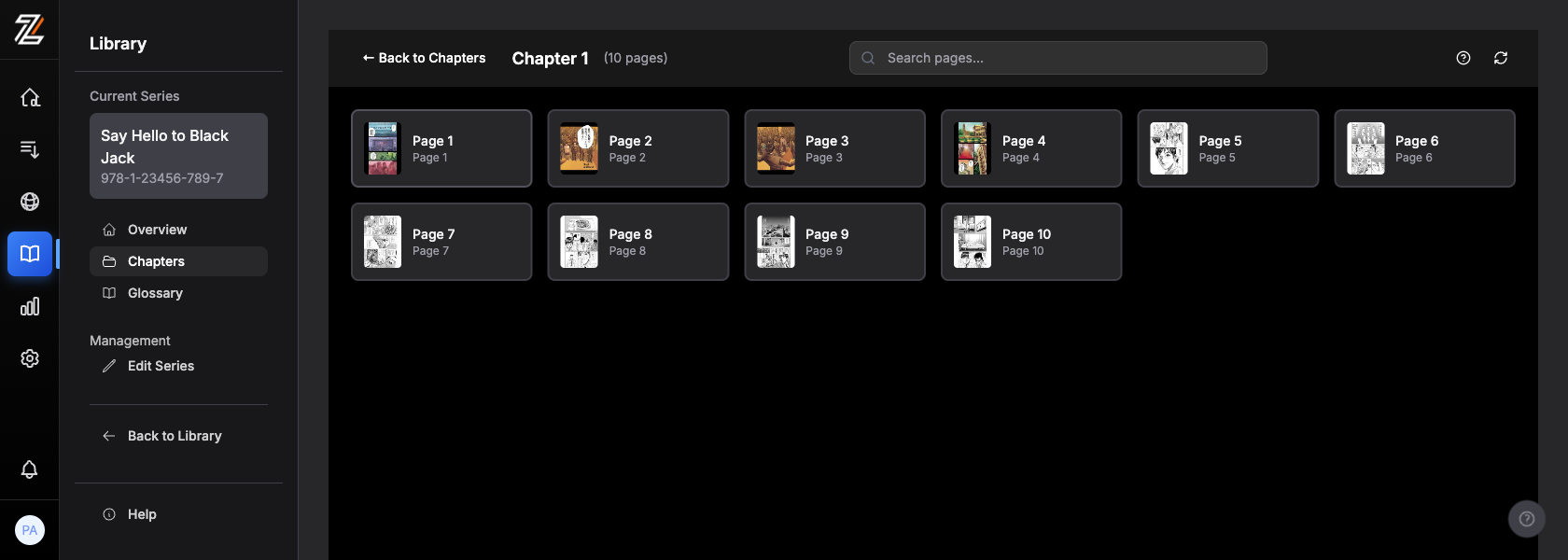
When you're ready, upload manga pages, fonts, typesetting guides, and glossaries to secure cloud storage. Everything organized by series, chapter, and project.
Enterprise studios can bring their own storage and AI keys and add custom branding, so your content stays in your cloud. See Enterprise options
Native PSD, TIFF, RAW support
Source files and typeset layers stay separate, so you can deliver the original plus layers. When the source ships with editable text layers, like the original Japanese SFX and dialogue, typesetters can reuse them instead of rebuilding from scratch.
Original color, preserved end to end
Source color profile and bit depth survive from upload to delivery, no silent drop to sRGB or 8-bit. Translated text is composited onto a clean copy, so the artwork underneath is never altered.
Version control with full history
Every file version tracked. Compare changes, roll back, and maintain a complete audit trail.
Glossary management
Character glossaries with relay translation support. Keep terminology consistent across chapters and languages.
Workflow
Track every page from translation to delivery. Define custom workflows with role-based handoffs. AI assists with OCR and first drafts; humans drive quality.
Custom workflow engine
Define your pipeline: Translation, Proofread, Edit, QA, Delivery, or any combination. Tasks move automatically through each stage.
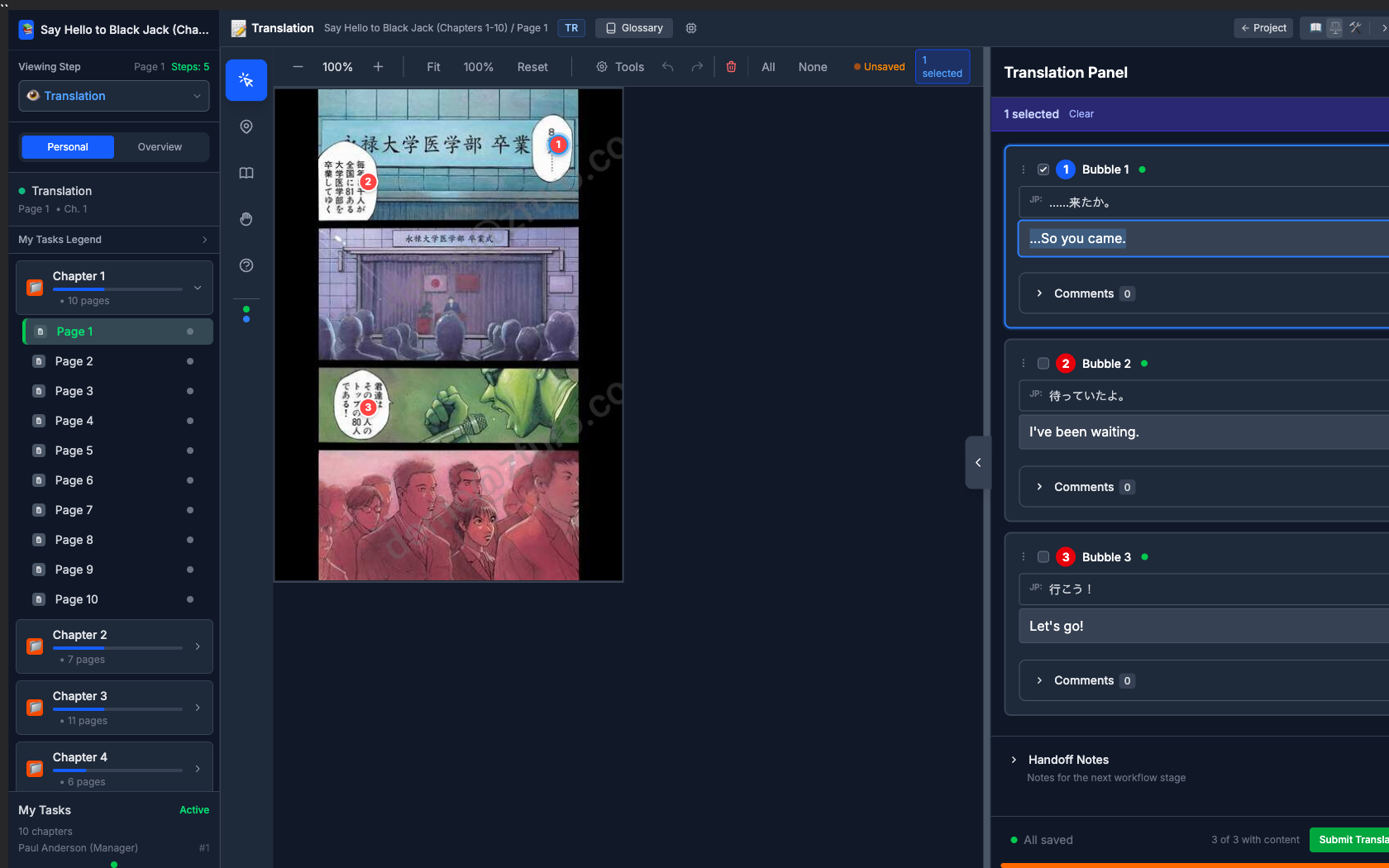
AI-powered OCR & first drafts
Manga-optimized OCR extracts text from speech bubbles, captions, and SFX. AI generates first-pass translations for human refinement.
In-browser or guided desktop editing
RGB and 8-bit grayscale pages open right in the browser, no software to install. CMYK and 16-bit print masters follow a guided desktop path: download the package, typeset in Photoshop or InDesign, then upload your layers. Either way, the source quality is preserved.
Real-time collaboration
WebSocket live updates so your team always sees the latest changes. Contextual comments on markers and pages.
Works with your tools
Zfuro generates automation scripts for Photoshop and InDesign that place your approved translations straight onto the page, then takes your finished layers back. No copy-pasting bubble by bubble.
Included in Workflow
Translation Memory
IncludedAs a translator works a bubble, Zfuro surfaces past reviewed translations of the same source line, exact or close, to apply in one click. Only proofreader-approved lines enter the memory, so a long series stays consistent across a rotating cast of translators.
Page-level chat
Works with workflowEvery message can link to a bubble, page, or chapter, and one click opens the exact spot in the editor, so nobody hunts for what you mean.
Reporting
See what a project costs, what to pay each freelancer, and how your team is performing, without exporting to a spreadsheet.
Freelancer payment reports
Every completed page rolls up into what each freelancer is owed, ready to review and pay. No manual tallying at month-end.
Contracts and cost tracking
Keep freelancer contracts and agreed rates in one place, and watch cost accrue per project as pages are completed.
Performance and delivery reports
Translator performance, delivery status, and complexity distribution across your catalog, so you know who to book and what a title really takes.
KPI dashboard and CSV export
Your cost and payment reports export to CSV for your accountant or your own spreadsheet.
Why Zfuro
How we compare to what you're using today
Most studios run on spreadsheets, shared drives, and chat. Here's what changes.
Spreadsheets
Google Sheets or Excel, updated by hand
Planning / Project Management
Capacity-aware scheduling by language pair
Shared drives
Dropbox or cloud folders, links that break
Asset Management
One organized library, every version kept
Manual handoffs
Emailing files around, unsure who has what
Workflow
A role-based pipeline that tracks every page from translation to delivery
Group chat
Slack or Discord, context lost in scrollback
Built-in chat
Messages pinned to the exact page
Payments tracked in spreadsheets
Hand-tallied page counts and rates
Reporting
Costs and freelancer payouts, tracked as you work
Included in every plan
Everything you need to run a professional manga localization pipeline.
Full workflow engine
Translation, proofread, edit, QA, and delivery, all customizable.
Unlimited users, always free
Teammates and freelancers never count toward your plan.
Glossary management
Character glossaries with relay translation for cross-language consistency.
Gantt chart & capacity planning
Visualize workloads and plan production schedules.
Real-time collaboration
WebSocket live updates, so your team always sees the latest.
File versioning & PSD/TIFF support
Source and typeset layers stored separately. Full version history.
Per-user watermarking
Every preview is stamped with the viewer's identity, so any leak traces back to a person.
Role-based access control
Translators, editors, proofreaders, and managers see only what they need.
11+ target languages
Multi-language localization from a single source project.
Start with planning. Scale to full production.
Start on the Free plan, no credit card required. Upgrade any time.